Toggl Track App for Linux
Why
Toggl officially discontinued the Linux app for Toggl Track. article
My solution
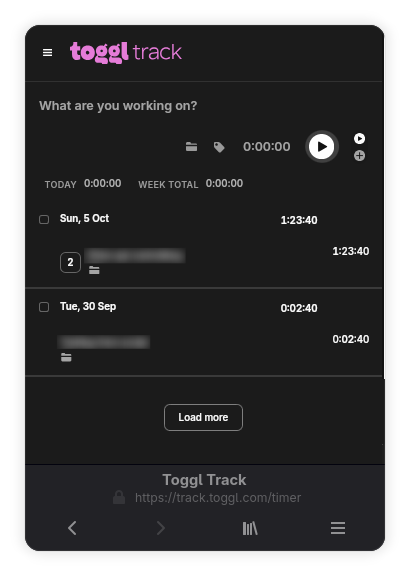 I am using the GNOME Epiphany browser to render the webpage with custom CSS to improve the experience.
How to install
- Download the Epiphany browser:
flatpak install flathub org.gnome.Epiphany- because it allows installing websites as apps
- Go to https://track.toggl.com/
- Log in to your Toggl Track account
- Install as web app (menu → web apps → install as web app)
- make sure you are adding
https://track.toggl.com/timer, not any other page
- make sure you are adding
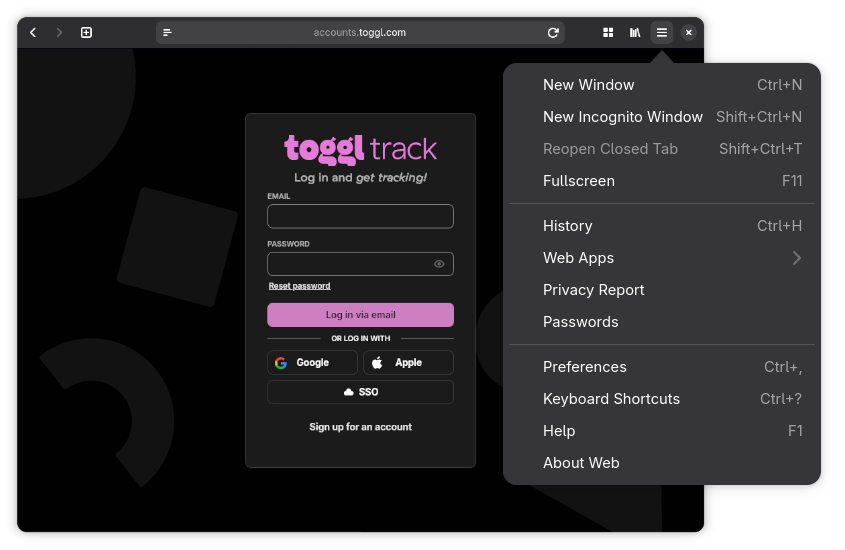
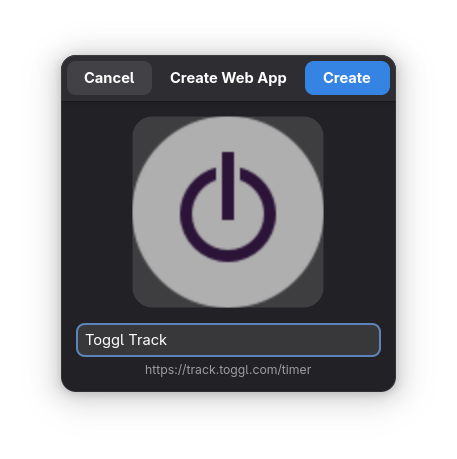
Now it’s installed as an app on your system (it added a .desktop file)
- (Optional) For better usability, I recommend adding custom CSS
Custom CSS
Open the app Toggl Track and go to Main Menu → Preferences → Appearance → Enable Use Custom Stylesheet and edit the file using the pen icon.
Then just paste the following:
html {
    zoom: 0.7;
}

/* Hide display type */
.css-17rj65k-Column-SecondColumn {
    display: none !important;
}

/* Hide range picker (Not optimized for small displays) */
.css-1o1i2hc-DateRangePickerWrapper {
    display: none;
}

/* Hide annoying button in right bottom corner */
.intercom-lightweight-app {
    display: none;
}

/* Hide billing rates (not in free plan) */
.css-3srs2p-BillableSwitchContainer {
    display: none;
}


/* Make input full width */
.css-fc3fjz-Container {
    min-width: 100% !important;
}

.css-1a08mon-TimerFormContent {
    flex-wrap: wrap;
    justify-content: flex-end;
}